Showing posts with label Studio Shoot. Show all posts


 First days I spent on the thing I usually do before any edit. I sort out my files, so everything is renamed, commented and labeled. After I did file management I easily got on the track. synchronized the sound, and put clips one by another, comparing which take is the best.

 Later on, I did all transitions, tried to pan and tilt digitally as well. some shots ar stabilized. There is also time warped video clips.
Colour grading was challenging. I faded them and gave them more dreamy look. I tried to keep an eye on histogram and RGB bars. At the end I added letterbox.
 When all scenes were finished, I did all exporting rules step by step. Colour bars, tone, and a clock. as the last thing, I left credits.


It all started with only one photo...


Photograph by Hannah Starkey – Untitled 1997


A photo, which is very simple, but in the same time - very beautiful. A young lady holding a butterfly by the wing.
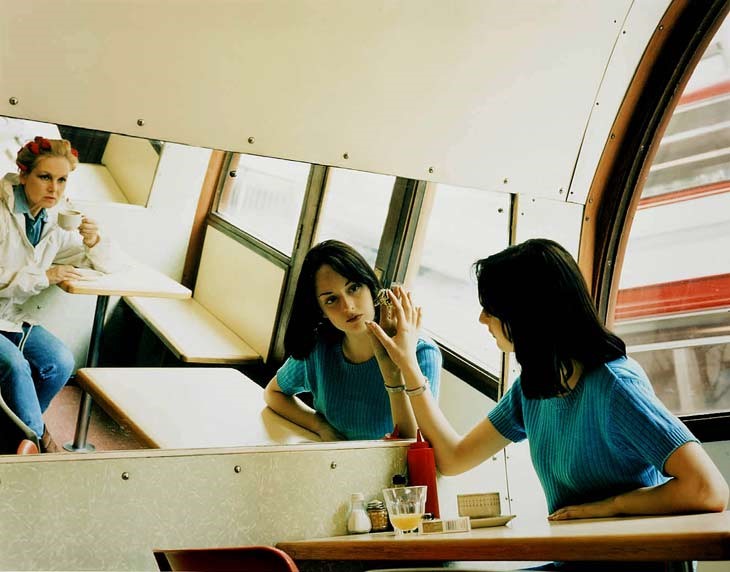


We had this image as an inspiration to make a 3-5 min long film. It was a process with many obstacles and challenges. First, the idea to make sense and still relate to the picture above. I think we had many opinions in the group how far to pull the idea. Romantic, sci-fi, action maybe comedy genre. My group had different main ideas, different thoughts about the ways of all ideas.


The film was filmed in two days. Files were saved on few hard drives to make sure, everything will be safe and nothing is going to be lost. Later on, I was in charge to deliver all visual files on the server with Victoria's help. That's so far about the process before the edit.


Have I changed thoughts about Avid since the first post?


I think it is very important how experienced you are before looking on new editing software. I mentioned AVID experience before on one of the first "Studio Shoot" posts. I would say it is very complicated editing software, it took me time to figure out how the tools are called. They are very different from other companies. 
My first "VIDEO EDITING" experience I gained when I was 16. It was Sony Vegas Pro. 
I remember it very as very complicated, futuristic and professional tool for videos. My friends were using programs called Movie Maker and iMovie and felt good using something much more advanced. I learned basics of video editing. Dual cameras, layering, 3D texts, stabilisations, cropping, panning, tilting, blending, key-framing clips and volume. I really thought it is something amazing...

Then I got in Adobe Premiere. A completely new world for me. I am not gonna lie - Using Premiere for about 1 month and coming back to Vegas Pro was horrible. I could not believe I was able to edit on Sony Vegas Pro before, it looked so cheap and there was nothing to use for professional editing. Using Premiere for about year I needed to step up more. So I began to learn how to use Adobe After Effects. Seriously, I did not learn it properly till I met Phil in UCA. 

The second year in university, still using Adobe sweets.

"Avid? Industry Standart, hah? Yeaaaa, right... what even is that???"
Opening Avid was like going back to 90ies, but I guess it was only because of the light gray interface. The learning process was very complicated. I would say it was because of how the things were called. I was used to Sony Vegas Pro and Adobe Premiere tool names. It was almost like learning a new language. You have to go through all so you know what the tools actually do and what Avid meant to mean with these names. For example, under effects, there is a tool panel like Illusion FX and without clicking on it I have no idea what even that means, is there 3D effects, maybe transition effects for the text or just textures...

Anyways, figuring out basic tools and trying to edit some sample files I had a bit of taste how it works. To be honest, I have to say I really hated it. I mentioned in the previous post about AVID that I can see how it is good in the industry. It is amazing with transcoding and transferring data from one computer to many others. In my opinion, Avid Media Composer is used for many huge films just because of the workspace. Many editors can work on one film without interrupting others.

Bearing that in mind I would not use Avid for my own small projects, short films or music videos. It is a pro tool for crews and TV industry.


---------------------- The Edit ----------------------


I often face a situation when something goes wrong in the most important moment. The first day of edit - Arturs is at home ill boiling in the bed with 38-degree temperature... How nice is that...

I knew I have to catch up with others in next Monday. Victoria helped me to import all the footage and at that point, everything was a mess...

A mess... where to start from? There I was, sitting on a red seat in front of 3 monitors.

Quickly I looked for a script. I watched every single video and listen to all sound files, wrote a note to each file, which scene, which slate and which take it is. The first day was basically defining files. I organized bins and files. replaced them. On the end of the day I had:

"Day 1" - All videos from the first day [ Renamed - repositioned in order]
"Day 2" - All videos from the second day [ Renamed - repositioned in order ]
"Audio" - Folio sounds
"Audio 2" - Tascam / boom mic records [ Renamed for each take]

...and nothing on the timeline yet.

I don't what exactly but I like a lot more how you can manage your files in Avid Media Composer than in any other video editing software.

---------------------------------------------------------------------------------


I said the software looked like from 90ies because of the interface so I looked up how to change that, setting > interface and made it darker. It looked more like "Premiere". I think bright interface just takes my attention where I don't need it. In a dark one, nothing else interrupts me. Maybe it is just in my mind, but generally, I felt a lot better and more focused on the whole editing process.


---------------------------------------------------------------------------------

Putting files on the timeline...

At the first glance, I had no confidence about what I am doing. I began with the 1st scene, put some in and out points, dropped on the timeline and did some synchronizing with a sound together. After 2 hours of an edit, I realized that I have to make more sense of my edit. Am I going for sad mood? Am I going for an experimental film? 
I looked through and some of the files did not make sense to me. There was one missing scene, which needed to be simulated by another hospital scene, I thought, it will be too obvious. I missed already one day being ill and I was in a bit stressful situation. 

Over sudden, I did not like the idea of the clock. I took that away and use another method of editing. I am not sure who said that but it keeps repeating in my mind, the film must look good even without the sound. 

I wanted to keep nowaday look, a bit futuristic, so I kept hospital scenes where the doctor passes them an iPad to show the results, I liked the fact how things have been changed over the time.

...THE STORY...

Things have changed and they will change more over the years. "Exhale, My Love" in my interpretation is twisted a little bit. Watching the footage I realize how cold are they without speaking to each other. It is not the script that makes like that, but the environment and their behaviors that make the mood. I loved the fact how everything in my film is pretty quiet and moody. 
At the very beginning, Elliot starts coughing and they appear in a doctor's office. Bella and he are very worried about the news, the possibility of cancer. On the first evening, she tries to cheer him up with a campaign. He starts coughing again, Bella calls an ambulance. New results show that he has a lung cancer. These results are serious and Bella cannot take that. She leaves him at the dinner. Next day, Elliot listens to a soundtrack. He remembers moments in winter, Bella smiling, singing to him. Bella hears the music, she comes to the room and leans on the wall. Elliot realizes that and helps her to stand up. He pulls her closer to the body and starts dancing. They both know that Elliot has to go soon. They cannot be together for long. Elliot inhales to say last words to Ella.


All that together.... and I was editing my "Final Edit" sequence.

I cut the clips without any sound and put on the timeline. I got used to tools that are on the left side of the timeline. Selecting single, selecting groups, deselect certain files or track, drag them, change them on the timeline. All tools are very different from Adobe. 

Colour correction. I did curves and basic contrast, brightness adjustments. Different scenes I used different filters. The light was not the same so used contrast and brightness as well. Later on, I offset my film using all four RGB curves and import a letterbox. When I had my letterbox on I had an option to move static files digitally. I tilt few static shots so there is a slight movement. Another reason for the letterbox - I have always the feeling that can't see all information if the image or video file is closer to the ratio 1:1 (square). I think - because how our eyes are positioned we need to have a square for each eye. That would be like 1:2. I feel like 16:9 is not really what I want to focus on. when the file has this frame around I am focusing more on the picture where the operator wants me to look at.

For tablet shots I used pan, tilt, resize and rotation tool to zoom out. I changed keyframe style as well so it is not so linear, but is very smooth and nice. One of the following shots I used stabilization FX. For Elliots dream scene, where Bella is in the snow, I used film grain illusion FX, I used frame morph so frames blend in next to each other. For particular shots, I used also glow effect. 

The sound was difficult for me at first. Although I had everything neatly organized I had issues with synchronizing sounds. In like 4 hour time I got my way around and everything was in time. I keyframed volume and blended sounds together. I used bensound.com to download a music file "Sad Day".

Credits were easy and especially rolling ones. I think Avid has thought about this part. The title sequence was very easy to work out. I liked the process of it.

---------------------------------------------------------------------------------

I think I gained a lot of new experience working with Avid Media Composer. Not only that but also working in a team made me more prepared for other shoots...

 In my opinion, there is only ONE THING I would like to change during the studio shoot. What I saw, I didn't like how my teammates were worried about things on the side. I think the major issue was that the wasted time on planning. I think everything is amazing if you can see how everyone know his role. I studied my role through and I know exactly where I have to be, when I have to shoot, who I have to listen to, who I can ask for help and so on. If you know your role inside out there should not be any misunderstanding and everything should go fluently. 

I enjoyed my group and I am happy that I learned new software just in few weeks. 


First filming day.
As a camera operator, I had huge responsibilities of the film overall. I had to rely on my assistant Ivan and get directions from DoP (TJ). Our first day's first take was an hour later than planned. I knew that I have to do my job spotless so there is no time delay because of me.

While actors were prepared I took my time assembling camera gear with Ivan. Set-up the camera and external video recorded. Checked colors, exposure, focus and formats to be ready for the first take.
We were using Sony EX3 camera which I have reviewed few post back. To record 10-bit 220x video we attached Atomos Samurai Blade external HD recorder. We also used shoulder rig and tripod to make the footage look nicer. As soon as everything was set-up I was looking through Samurai Blade screen and think of options for framing.

All the time I was co-operating with Tj and Ivan. There were many technical issues starting with battery life for Atomos Samurai Blade and ending with wobbly attachment plates for our camera gear. 

For certain scene, we used an on-camera filter. the filter we used suggested by Chris made the look dreamy. 
It took a while to decide and attach. Not only that but every single small detail took time. therefore Natalie and Preston did make sure before each shot everyone is ready.
 --CAMERA READY-- [press record] --READY--... --ACTION--  
After that, I kept the frame in best position. I tried to do my best.
I tried to focus only on my role, so I do mine as good as I can. I heard shouts on other team members and how they have done their roles wrong or not in time because they were focusing on something else during the shoot.
I did and didn't like to work in a team for several reasons.
I liked because I have one job to do and focus on. I am very technical and I like to be next to the gear. I was happy for my role and I understood everything that I was told - different wishes and suggests for framing and movement. I didn't like it because I saw how some of us were sitting down and not doing what they are supposed to do. I just hate slow workflow. I don't like to rush, but I don't like that there are people who can do their roles fast and quick and then there are members who even don't think what they have to do in first place. I liked to work in a team because you know who are your people. What I mean is that there is only one person who can help me - in this case - Ivan Camera assistant and only one person who I have to ask help or tell the problem - TJ - DoP. Roles make a big difference. It is not confusing, I don't have to run around to look for help or even ask random people who I have to look for.

I got this feeling when I am working on my own. If there is a problem I cannot solve, it might be a nightmare to find a solution from others.

I think it was a great experience. It also proved how contacts are made in this industry, simple if you are bad once, you are not going to be picked up next time. Certain roles are made for certain people. Not everyone is in the right place, but when they find it, they can manage it professionally without no doubt.

Making the set.
No matter who you are - camera operator, director, gaffer - you have to help to make the set.
I was involved a lot. We had difficulties in human resources and because of that we had arguments and problems in further work.
I would say, making a set was the most stressful part. Okay, let's stop talking about everyone else. I was involved in...
Attaching the walls together
Scratching the walls from wallpapers left before. 
Abrade the walls making smoother.
Gluing wallpaper to the wall and smoothing them out.
I help with painting walls.
If I am right the next task for me was helping with floor.
At the end me and Dan worked together.
We both installed blind holders and hanged the blinds.
Dan's task was to sort out how the TV will be installed in the wall... I helped with the solution, drew some sketches and worked on the set. I cut pieces of wood to make a gap between the wallpaper and wall behind. 
After installing TV I tried to look for other small jobs to help with. It was a creative week at the end.
 
 Next thing we had to sort out was props for the set. We went to charity shops to look for chest of drawers and lamp. Anything pastel, minimal and futuristic. We also got fake plant. Everything looked neat and natural.


As soon as set was almost fully decorated, it was Umor's part to do lightning. As camera operator, this was part that was very important for as well. I was looking what could be a problem for be, where I can move, am I not going to affect some light and cause shadows? Those were the questions I had all the time looking at Umor's job. When I was confused I talked to TJ (DoP) to update me about the scene. If I saw some difficulties for myself filming, I told TJ and Umor that it might not be the best for me.


Studio shoot begun with a post weeks ago 'Role- Camera Assistant' - that was my chosen role to research. We had to research individually each department to present for everyone what the roles in film industry actually means. I was happy with my role, because I am technically interested in gear and techniques to use for filming. I have always been passionate about pushing the limits of quality.  I like to generate ideas of stories and main concepts, but it has never been as big as it is about my obsession for technology.

Camera department is my role indeed. I like the looks I could technically achieve. I like to challenge myself to make the shot more stable, more crisp, more detailed, more dynamic, more interesting and exciting. In my spare time I am reading a lot about new editing styles, new lighting, technology and filming techniques. I love to read articles of new Adobe Photoshop updates, how old tools can be used to achieve something new. There is always something new to learn. I am following latest updates of cameras, I am loving to learn new features. For example, I worked with GH4 and that was a good reason to find out what its features means - v-log and 4K MAX. I had what is the difference. Soon I was on articles and YouTube videos. I research from very beginning to advanced controls of V-log and 4K Max features.

I like to always be on top of everything that lately comes out. Before something has been released I have most likely already take a look on specifications, researched certain parts of camera's or other gear's features and trying to understand without looking at actual device. 

I guess my friends call me crazy because of doing it, but that's how I see art behind film, sound and photography.

Returning back to roles, for studio shoot I picked the role - Camera Operator. I guess could not wish any better, I was happy with my role at the very beginning.
 Pre-production was a pain for everyone I guess. I was pretty calm because I knew that my real work will be on the scene. Although I was CO, I helped Tarald a lot with the storyboard.

I drew storyboards with a help form Ivan, Natalie and TJ. When they were done I made them digital. I also helped Umor with lighting plans. We discuss in groups and explained those to Anne Parisio. I took part in lighting plans confidentially cause I had experience on sets like this before. Mostly for small interviews in Latvia, but still - those were whole scenes for full lightning including reflectors and diffusers. I used to help out gaffer at local television in my hometown Talsi.

As I mentioned before, I love research a lot of new techniques and gear, so I have seen many lighting situations and problems via Youtube and Fstoppers.com. I am learning film standards when I do have spare time.
 While everyone was into polishing the story, I used my time for 3D project using SketchUp Pro.
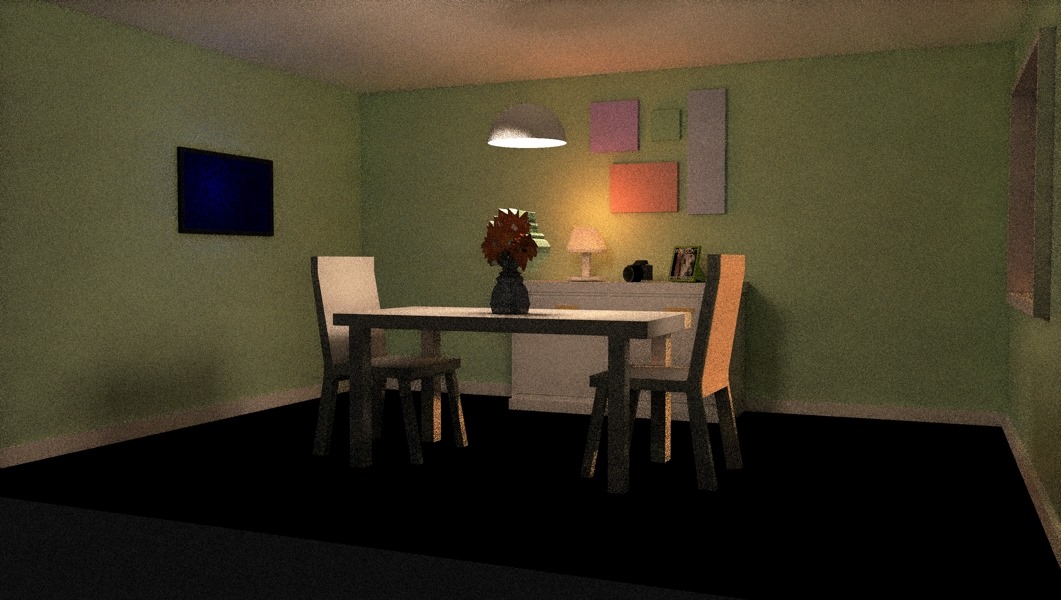
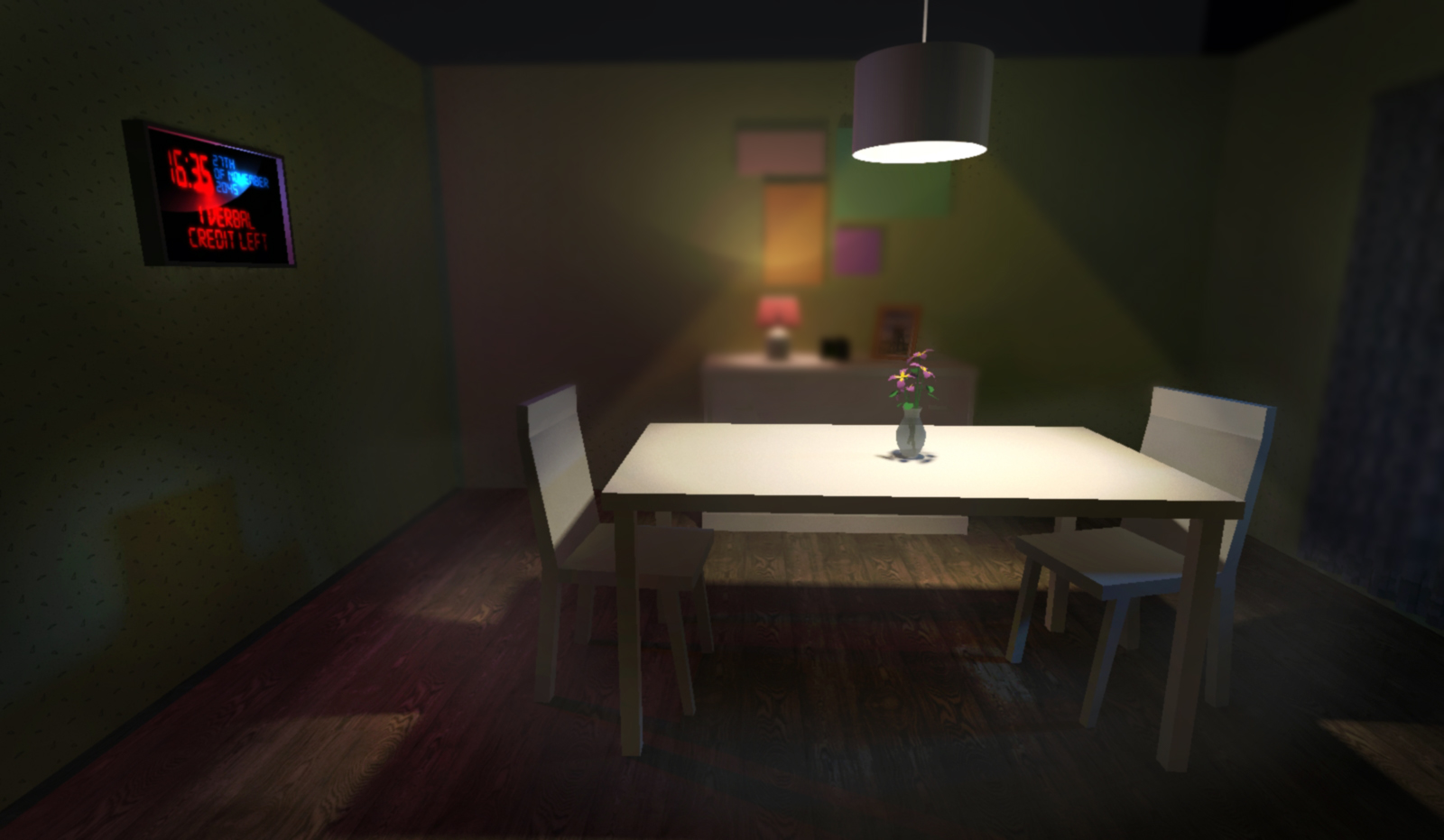
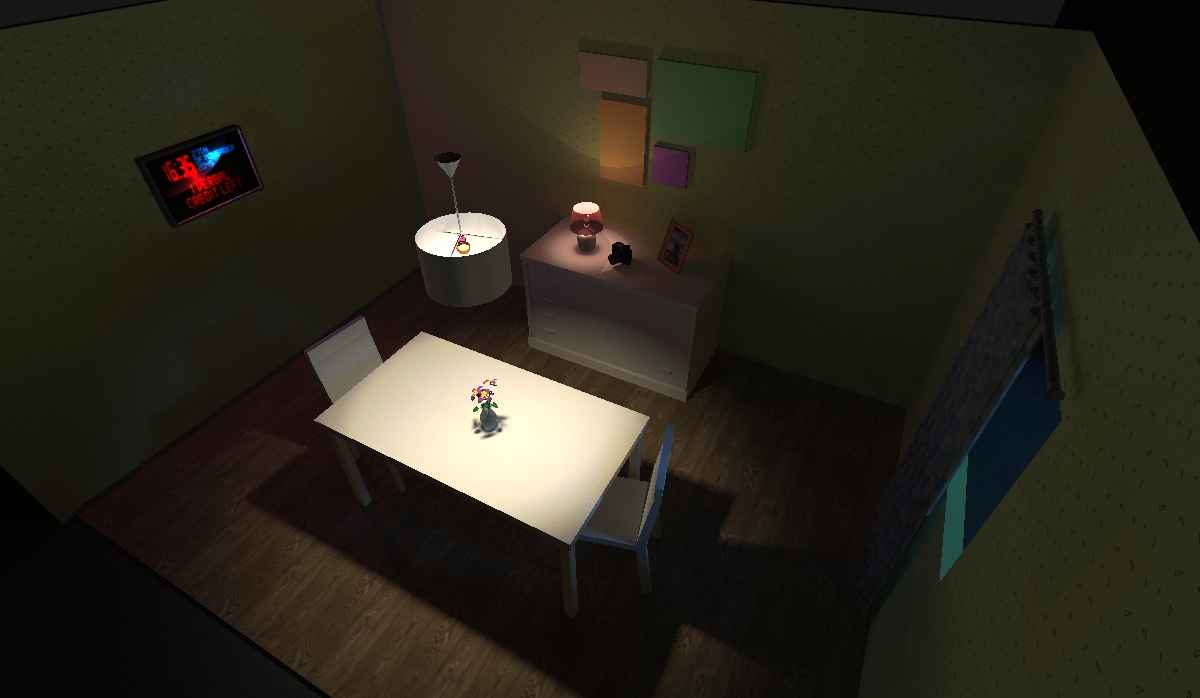
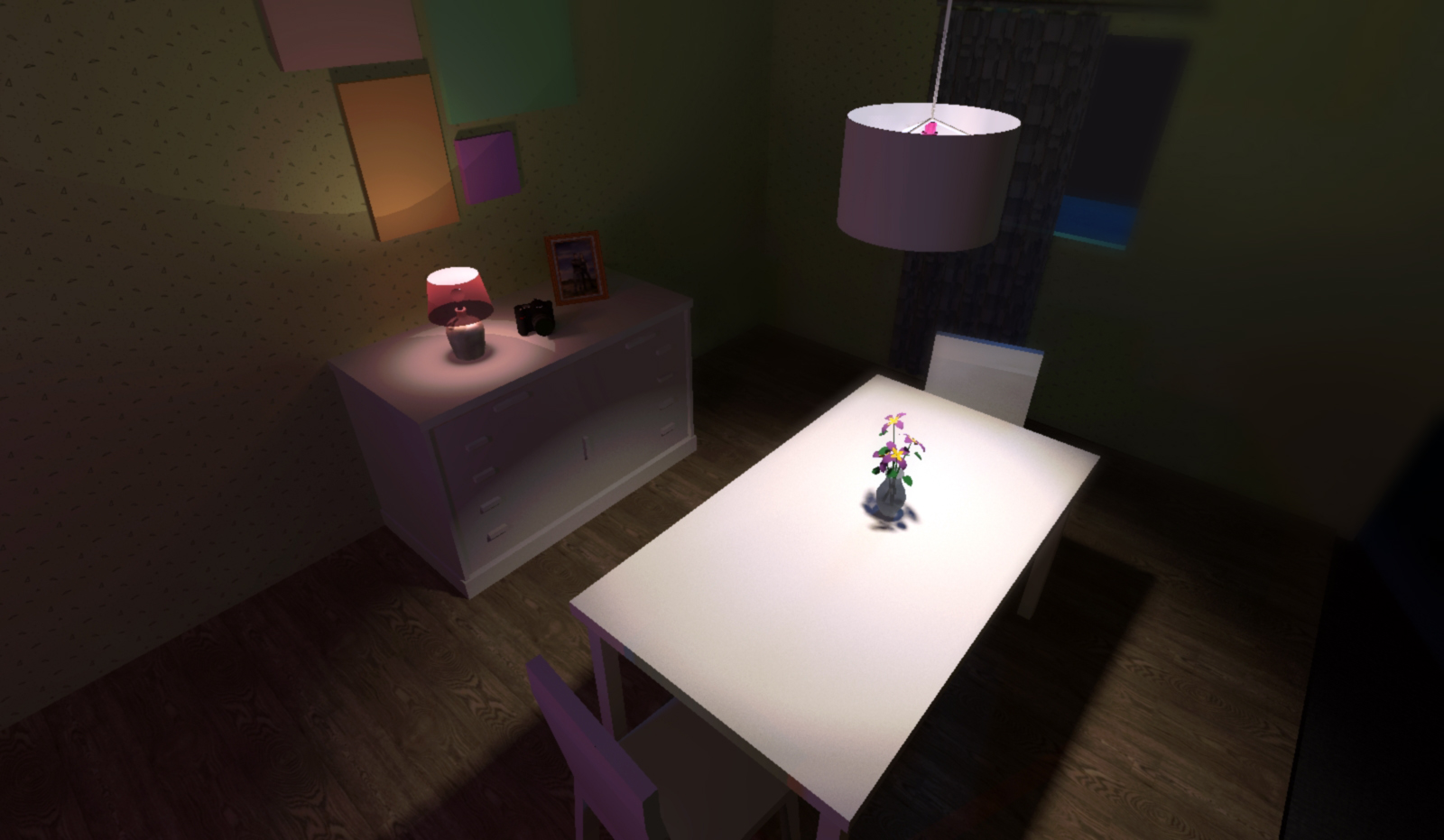
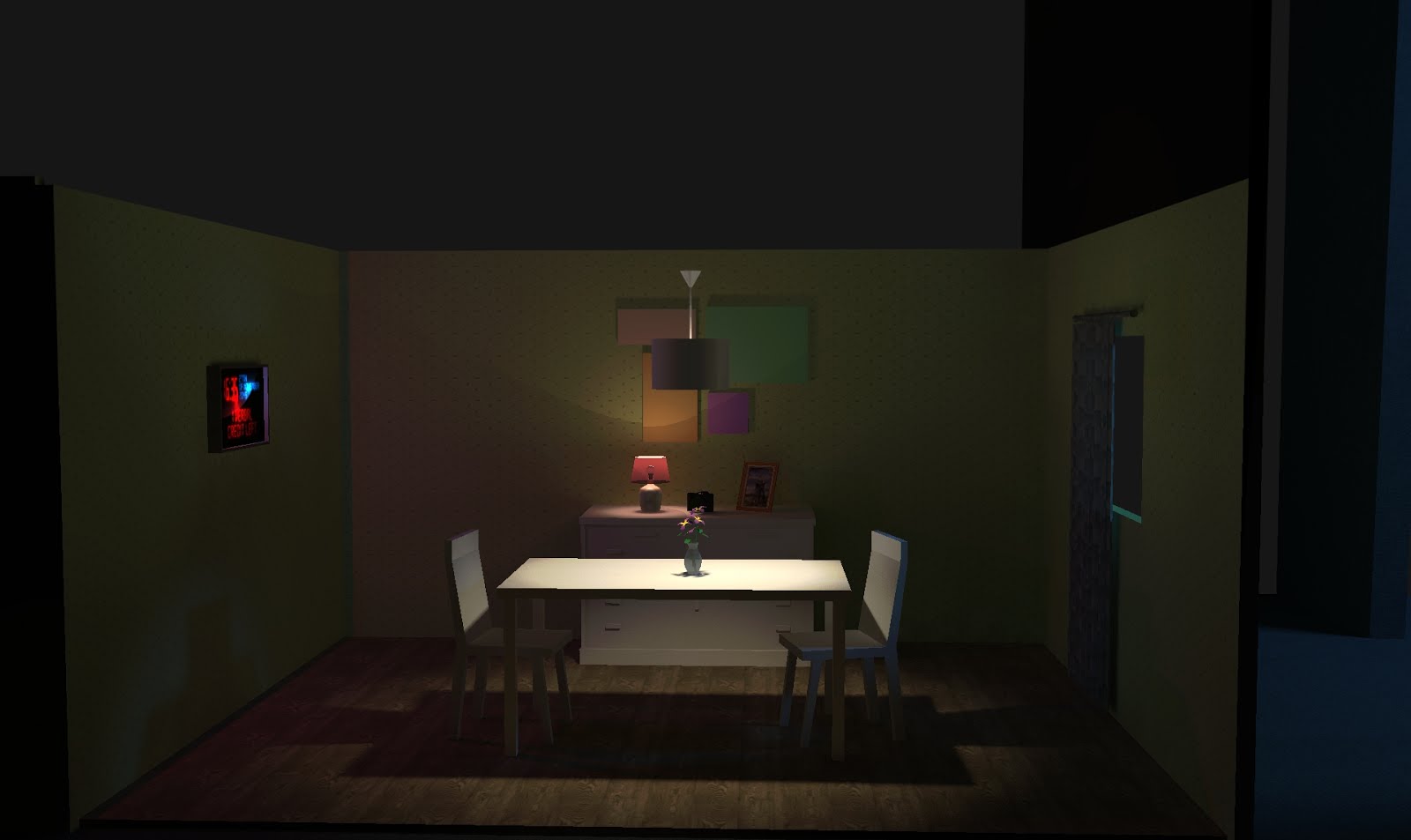
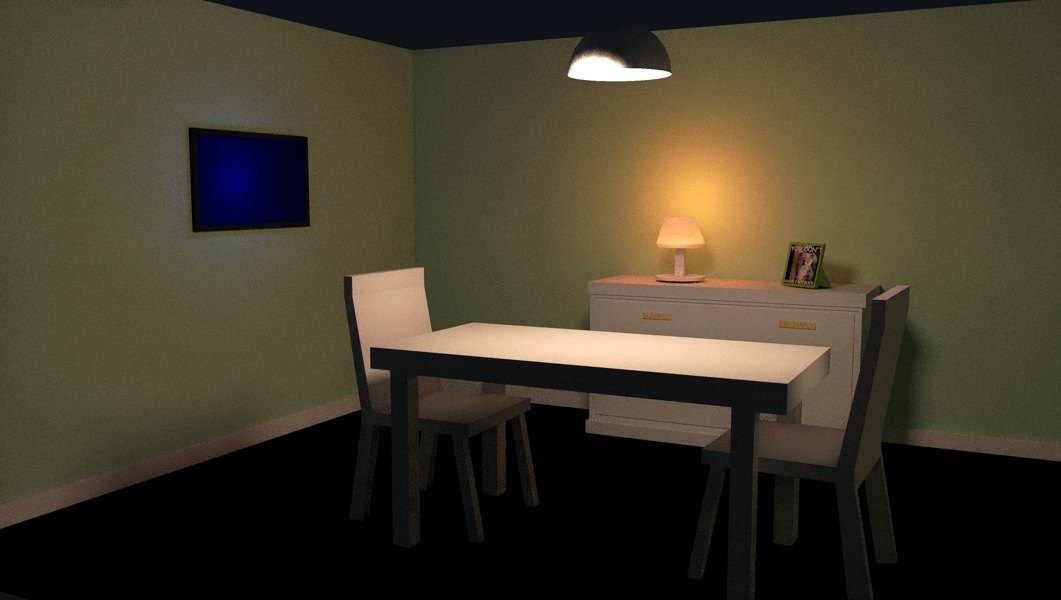
I made a whole set to show previews for possible camera angles and lighting. These sketches and previews from 3D program is at the bottom of this post.

WAS 3D NEEDED?

It was not necessary, but in my view it helps a lot for whole team to understand and feel a bit of the taste what they are going to look at. It can help a lot to see some problems, possible movements, angles and actual space they have to bear in mind.
I did it to make sure I am helping my team as much as possible. We have to put our support and time as much as we can to make our film successful!

Another digital thing I did together with Preston. Something must be on TV's screen. Animation. Preston did design for the clock and whole system which shows word count. My role in this was to make clock alive. I used Adobe Photoshop, After effects and Adobe Premiere to easy change the certain time and move alerts. We setup the word count and made animation so it looks interactive.
...This only one test for alarm. I made folders of files to make sure there is no mistakes and animation makes everyone happy.


Accelerate storytelling with the tools embraced by top movie, television, and broadcast editors. And power through HD and high-res editing. With that kind of inspiration we were inducted to Avid Media Composer. I have been working with 5 different video editing software so far and here I explored new editing software for the industry. On the first glance, I really did not like the "old-style" interface. All tools made no sense at the beginning. Looked very complicated and took a lot of time to edit.

"Fix color or set the tone and mood with built-in color tools. Quickly match colors from shot to shot using NaturalMatch. Correct color with precision thanks to advanced color space processing. Get fine control with animatable color correction. Speed up your color work with hands-on Artist Color control."  That's how Avid official page advertised their software. I have been using Adobe Products more than 5 years and I can say that it is much easier to colour correct footage in Adobe and it's plugins. It is more visual and instant preview compared to Avid. Bearing in mind that I can use plug-ins like Magic Bullet looks which gives creative tools to apply for colour correction and effects.
The image of one of the tutorials. We were editing two person dialogue in an office. We had few camera angles and needed to edit them in a certain order so it is pleasant to watch. Editing is art itself. You have to make sense and actual taste of the way how feelings work to each other. Using only cuts you are in charge who from both character is more dominative. You can make stressful or calm environment using time ad only tool for cuts. Different  styles of editing can completely change the mood of the whole story.

It is easier to import, faster previews and I prefer tools like cut, mark, stick together. They just work much smoother.
Using Avid for few week I have pulled out some good points to mention. Using it for broadcast and having quick simple edits it is perfect. Audiences today expect content to be delivered in the format in which they want to watch. Live TV broadcast. Streaming media. Blu-ray or DVD. On demand. On a mobile device. With Sorenson Squeeze Lite—included with Media Composer subscriptions or as part of the Media Composer | Production Pack—you can optimize media for the highest quality playback online or on disc. 
Not only fast transcoding is a huge benefit, but also sharing whole projects real time for editing. When it’s crunch time, collaboration is key. Media Composer makes it a breeze. Share media, projects, and bins to complete projects on time. Share assets using Avid shared storage. Collaborate with Final Cut, Premiere, and other editors. Share sound mixes with Pro Tools editors. Integrate directly with iNEWS and ENPS systems with the Media Composer | NewsCutter Option. And extend real-time production everywhere with Media Composer | Cloud.

Apart from sharing media and transcoding to life stream I really can't see reasons why it is better than Adobe products.  In my opinion, I will use it on big production teams where we have to work fast and simple as possible, quick colour editing, quick transferring between other editors and ease access to video materials. I have to agree that Avid has much better in preparing material for editing, it has all support plugins for certain camera formats. 


We had a new camera to explore - Sony EX3. It is HD quality semi-shoulder camcorder with 1/2 inch type CMOS sensor 1920x1080. As one of the main props I see it's ability to use other optional lens adapters for 2/3rd inch, cinema-style and SLR lenses.
Last year our hands were on Canon XF-305 and I would say the way Sony EX3 is being operated it is quiet similar. Most of the standard menu features are already built on the body. Easy access buttons and most important feature like white balance, ND filters, Gain and Shutter Speed. It is also easy to set up and takes just few seconds to be ready to shoot.

The size of course is the major issue I see. It is heavy, so it also requires heavier gear to stabilize. Not handy at all, in most of the cases you really need to use tripod or other tool to reduce shaking.

I also really don't like the quality of the built-in lcd monitor. It is pix-elated, colours are not correct and dynamic range is very low.

But then Atomos Samurai Blade steps in.

It was my first experience with external video recorder. Thought there is no point to get one, after this induction I might just get it for DSLR to relieve my work on the set.
The Samurai Blade is a portable touchscreen 10bit HD Recorder, Monitor and Playback Device. The Monitor is very good reference point. It has amazing dynamic range and flat colours. Easy to use and process footage as quick as possible.
It has also different helpful feature like waveforms, vector scopes, zebras, focus edge and others.

We used Samurai Blade attached to EX3 through  SDI port. It helps a lot on shoot and makes camera operator's work a lot easier.

First Camera Assistant | 1st AC or the Focus Puller


It can be the hardest job on the crew. While everyone else is on a break, the Camera Assistant is usually working. Camera Assistants are usually the first people to start work and the last people to finish.

Main things they have to focus on:
1. Adjusting the camera lens or 'pulling focus' to follow the action on set
2. Managing and maintaining camera equipment and accessories
3. Following instructions from the Director or Director of Photography (DoP)

But to do all that you have to have excellent knowledge of cameras, lenses and all related equipment. He or She has to do a lot of homework, keep up-to-date with newest techniques and equipment. They have to be good at judging distances, have agility and speed. they have to pay precise attention to details. As the last but not less important they have to know about health and safety legislation and procedures.

What does a First Camera Assistant do?
1st ACs are responsible for focusing and refocusing the camera lens as Actors move within the frame of each shot. They do not look though the lens to do this but 'pull focus' according to a set of complex marks placed on the set.
As it is impossible to see whether the focus is sharp until the rushes (raw footage) are screened, 1st ACs rely on experience and instinct for each focal adjustment. Because re-shooting scenes is expensive and actors may be unable to recreate their best take

1st ACs are also responsible for camera equipment such as lenses, filters and matt boxes and for assembling the camera and its accessories for different shots.

They arrive on set or in the studio before the Director, Director of Photography and Camera Operator and ensure that the camera and all required lenses are prepared for the day's shoot. If the Director or DoP wants to try out a specific lens, the 1st AC assembles the camera so that they can look through the eyepiece to assess the shot. At the end of each shooting day, 1st ACs clean the equipment and pack it up in preparation for the next day.
____________________________________________________________________________________________

Second Camera Assistant | 2nd AC or Clapper Loader


Main things they have to focus on:
1. Preparing the camera, loading new batteries and film, and changing lenses
2. Operating the clapperboard and managing the camera paperwork
3. Working closely with the 1st AC rest of the Camera team

To be able to that they have to have to know about all camera equipment, film stocks and processing techniques. They have to have understanding of all camera department paperwork and administration. that's why they have excellent organisation skills. They have to be fast, communicate effectively, focused on details and also know about health and safety regulations and procedures.

What does a Second Camera Assistant do?
2nd ACs help the Camera Operator to position and move the camera. They are responsible for loading and unloading film magazines, changing and charging camera batteries and changing lenses. They must work quickly so that the flow of filming is not disrupted.

They also operate the clapperboard, fill out and file all camera sheets, deal with film labs and order the correct amount and type of film stock.

During the shoot, 2nd ACs begin work early in the mornings, unloading, organising and preparing all of the camera equipment for each day's work. During rehearsals, they mark-up the Actors' positions, enabling the 1st AC to calculate any changes in focus. When the camera starts to roll, 2nd ACs mark each take with a clapperboard, which identifies the take and enables the Assistant Editor to synchronise the sound and picture in preparation for editing.

2nd ACs position themselves next to the camera, where they can anticipate all camera movements and monitor how much film stock is being used. They must know when a new film magazine should be prepared. At the end of each shooting day, 2nd ACs pack away all the equipment, label up film cans and dispatch them to the labs with detailed camera sheets.